Mikshi AI delivers AI Video Analytics for Hotels & Restaurants, helping teams identify safety events, monitor queues, and oversee staff presence across key operational areas. Give property teams and central operations a clearer view of what needs attention.
Mikshi AI brings Hospitality AI Video Analytics to live camera feeds, combining safety alerts and operational insights in one platform. It helps teams respond to events and review activity across individual properties or multiple locations.
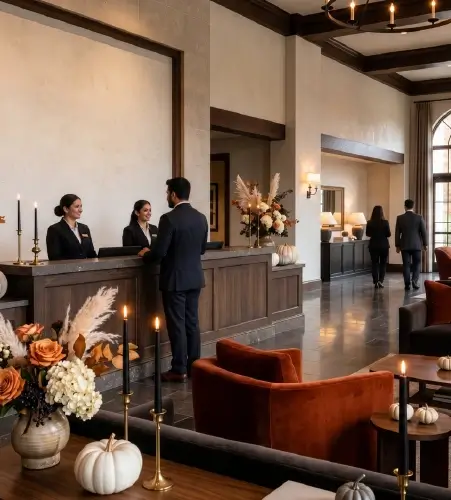
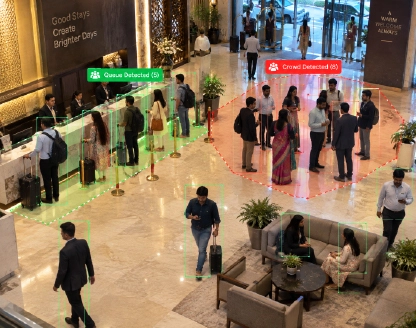
Mikshi AI’s Hotel Video Analytics provides visibility across reception queues, lobby occupancy, parking areas, and back-of-house access. Help front-office, security, and operations teams coordinate their response while monitoring appropriate common areas.
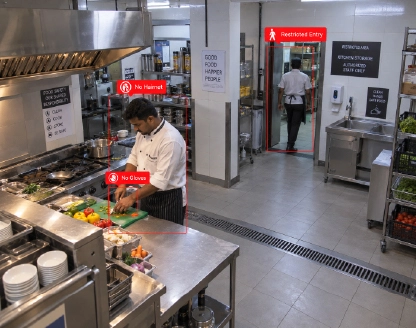
Mikshi AI’s Restaurant Video Analytics helps teams monitor ordering-counter queues, dining-area occupancy, staff presence, and visible fire or smoke in kitchens. Help outlet managers identify service bottlenecks and safety events during busy operating hours.
Bring events from multiple properties into a central Video Analytics Platform. Help regional and central teams review recurring issues, identify locations needing attention, and support consistent operational oversight across shifts.
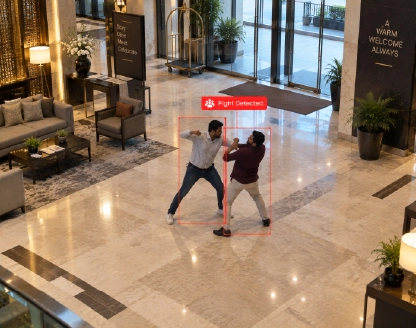
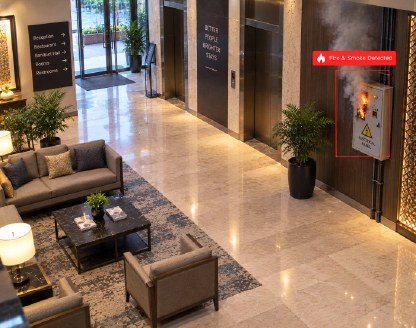
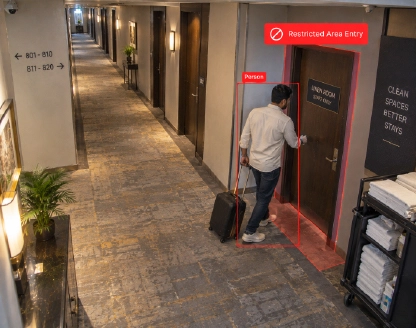
An altercation in a lobby, an accidental fire, or unexpected entry into a staff-only area, can require a prompt response. AI Video Surveillance helps teams identify potential incidents, locate the activity, and assess what action is needed.
Reception queues, busy ordering counters, and crowded dining entrances can stretch staff attention. Real-Time Crowd Video Analytics helps managers recognise congestion and assess staff coverage in the areas where demand is building.
Hotel groups and restaurant chains need visibility beyond individual incident reports. Centralised AI based Video Analytics Software helps teams review events across properties and shifts, recognise recurring issues, and prioritise follow-up.
Select a pillar to explore capabilities for guest-facing spaces, security, and daily operations.
Use Intelligent Video Analytics to monitor crowd density and queue build-up at reception desks, ordering counters, and dining entrances. Help teams identify congestion and decide when to open another counter, redirect guests, or adjust staffing.
Identify signs of physical altercations in lobbies, dining areas, entrances, and other common spaces. Real-time alerts help security teams locate the event, review the situation, and coordinate a response.
Use AI Video Analytics to detect visible fire and smoke within camera coverage, including kitchens, storage areas, and service corridors. Alert teams to potential hazards and support the property’s established emergency response.
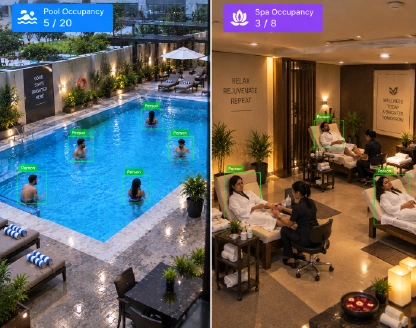
Monitor occupancy and crowd density across pools, spas, and other designated areas, helping staff maintain real-time visibility of guest presence, manage capacity, and respond to crowding in camera-covered spaces.
Detect entry into staff-only spaces such as stockrooms, service corridors, and back-of-house areas. Zone and schedule-based alerts help teams investigate unexpected access.
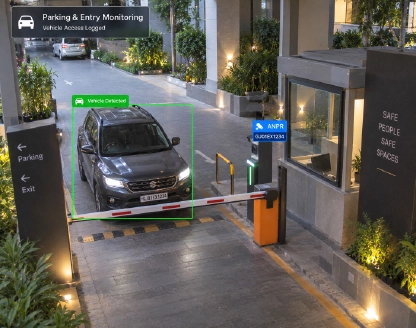
Monitor movement across defined boundaries at entrances, parking areas, and vehicle access points. Intrusion and line-crossing alerts help security teams identify activity requiring review.
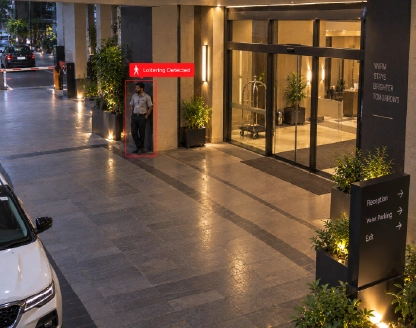
Detect prolonged presence near entrances, parking areas, and restricted access points. Help teams review the circumstances and determine whether a guest needs assistance or security should investigate.
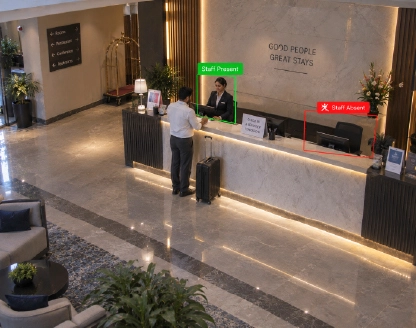
Use Video Content Analytics to monitor whether reception desks, service counters, and other key work areas are occupied. Help supervisors review coverage across shifts and identify stations that may need staff support.
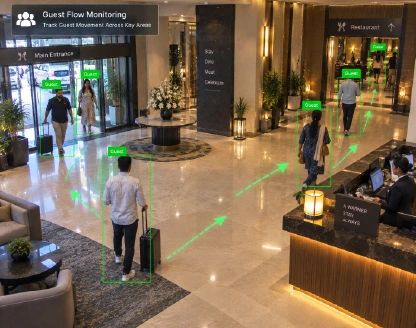
Understand footfall and occupancy patterns across entrances, lobbies, and dining areas. Use these insights to inform staffing schedules, guest routing, and space utilisation.
Detect visible fire and smoke and monitor entry into restricted kitchen or storage zones. Bring these events to supervisors’ attention so they can assess hazards and unexpected access during kitchen operations.
Explore how Mikshi AI fits your camera infrastructure, operational priorities, and deployment requirements.
Connect compatible IP cameras through RTSP streams to add analytics across kitchens, lobbies, entrances, dining areas, and common spaces. Build on your existing camera investment.
Choose on-premises, cloud, or hybrid deployment. On-Premises Video Analytics processes video within your infrastructure, excluding guest rooms and private spaces.
Start with priority use cases at one property and expand across outlets. Centralised dashboards bring events and insights together for property managers and central operations teams.
Automated detection, alerts, dashboards, and reports help teams focus on events that need review, giving managers a practical way to oversee monitored spaces alongside daily operations.
Optimize logistics with real-time safety intelligence.
Prevent incidents, ensure compliance, and boost performance.
Mikshi AI connects to live feeds from compatible cameras covering selected operational and common areas. Data flows and access requirements are reviewed during deployment planning to address your Secure Video Processing requirements.
AI models analyse video on the Mikshi AI Box, an on-premises server, or cloud infrastructure. Real-Time Video Analytics identifies selected activity across live camera feeds.
Detected activity is evaluated against monitoring rules and converted into events linked to the relevant camera, location, and time.
Teams review events through Mikshi dashboards, alerts, and reports. Available integrations can connect events to alarms, access-control systems, and other operational workflows.
Those Those Who Are Already Ahead in the Surveillance Game
Find the answers you need